Print Photo - Print to Size
TAPUNIVERSEArt & Design
3.719.00 Reviews
- Version
- 2.0.9
- Installs
- 50.00K
- Age Rating
- Everyone
Screenshots
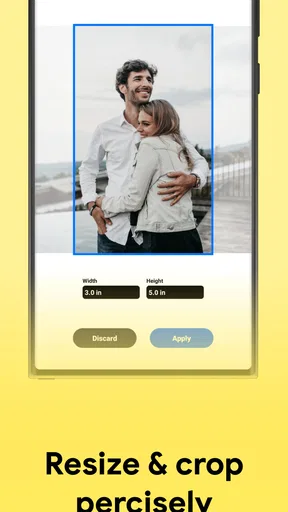
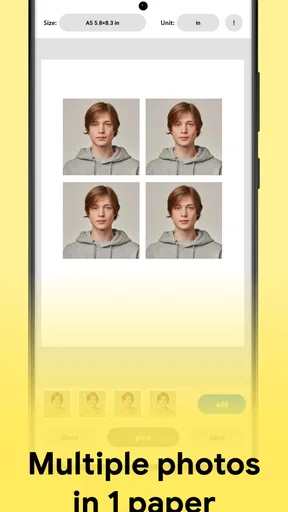
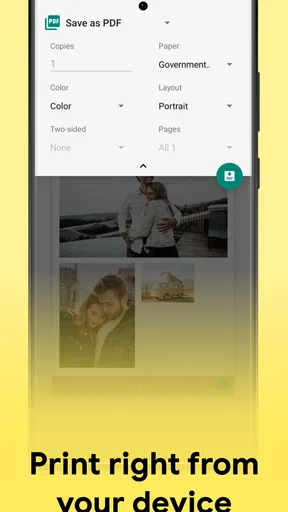
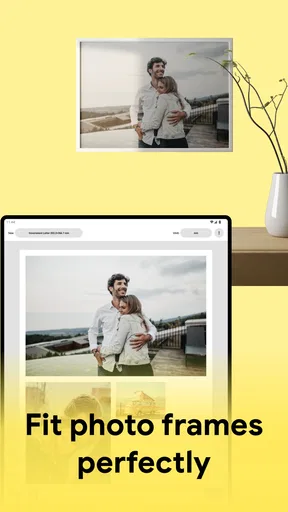
Our Review of Print Photo - Print to Size
 Analysis by Appyee
I found Print Photo - Print to Size most useful when I stopped treating it like a general photo editor and used it for one clear job: preparing an image for printing at a specific physical size. That focus makes it practical in a household where one person takes the photo, another person handles the printer, and someone else simply wants the finished picture to fit a frame, card, label, or craft project.
It is an Art & Design app from TAPUNIVERSE, and its main appeal is straightforward: it helps turn a phone image into something you can print with more control over its final dimensions. The app costs $2.99, carries an Everyone age rating, and also lists in-app purchases ranging from $1.99 to $19.99 per item. I would not describe it as a complete replacement for a desktop publishing tool, but I do see why it has attracted over 50K installs.
My overall impression is positive but specific. This is a focused utility for people who regularly need exact-size photo printing, not a creative suite for elaborate collages, retouching, or social posts. If that distinction matches your needs, it can remove a surprisingly annoying step from everyday printing.
How it works in a shared household
A realistic use case is a family preparing a school project. One person has the original photo on the phone, another knows which printer or paper will be used, and a child needs the image to fit a particular space on a page. Instead of sending the picture through several apps and hoping the printer dialog preserves the intended size, the person preparing the image can use this app as the dedicated sizing stage.
That workflow is valuable because “make it smaller” is not the same as “make it two inches wide” or “make it fit a particular printed area.” Ordinary gallery editors usually think in pixels, screen proportions, or social-media crops. Print Photo - Print to Size is more useful when the physical result matters more than how the image looks on the display.
I also like the separation between image selection and printing. The person who understands the visual result can prepare the file, while the person standing near the printer can deal with paper, ink, and the final print command. That makes the app suitable for a shared device, although it does not turn the phone into a multi-user workspace. Whoever is holding the device still needs to review the image and make the final choices.
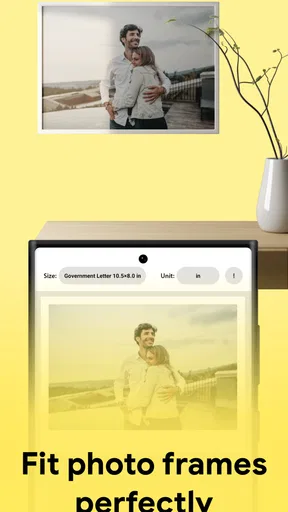
For a household, I would keep the workflow simple: choose the source photo, decide the target dimensions, inspect the crop, and only then move to printing. The most important practical habit is to check whether the subject will be cut off when the chosen size has a different shape from the original. Exact dimensions solve the size problem, but they do not automatically preserve every edge of a photograph.
Why physical dimensions change the decision
When I print from a normal phone gallery, the result often depends on a mixture of printer settings, paper settings, and the application sending the job. That can be fine for casual snapshots, but it becomes frustrating when a photo must fit a frame or a pre-cut space. A small difference may leave unwanted borders or trim part of a face.
This app is most convincing in those moments because the intended output is defined before the printer stage. It encourages a more deliberate workflow instead of relying on an automatic “fit” option. That does not guarantee that every printer will behave perfectly, but it gives me a clearer starting point and makes mistakes easier to identify before wasting paper.
One useful trade-off is that precise sizing can expose the limits of the original image. A low-quality or heavily cropped photo may technically print at the requested dimensions while still looking soft. The app can prepare the size; it cannot restore detail that was never captured. I would therefore choose the cleanest original image available rather than repeatedly editing a compressed copy.
Setting boundaries before someone else uses the phone
Because this is a practical tool rather than a social network, I do not need to create a public profile or coordinate a group inside the app. That is helpful on a shared household device. The boundary is simple: the app works with the photos available on that device, so the person using it should know which image is intended and which images should remain private.
For a shared phone or tablet, I would prepare the photo in a separate folder or album first. That reduces the chance of selecting the wrong family picture when several similar images appear together. It also makes handoffs easier: one person can organize the source material, and another can open the app and complete the print preparation without searching through the entire camera roll.
I would not hand the device to a young child and expect the process to be self-explanatory. The Everyone rating is reassuring in terms of the app’s general audience, but an age label does not mean every printing decision is obvious. Children may understand the creative part while missing the consequences of selecting the wrong crop, paper orientation, or image.
My preferred household rule is that the person who owns the photo approves the image, while the person responsible for printing confirms the physical settings. That small division of responsibility prevents a common problem: a technically correct size being applied to the wrong picture or an approved image being printed on unsuitable paper.
Coordinating the print without overcomplicating it
The app can sit in the middle of a larger process, but it should not be mistaken for the entire process. After preparing the image, someone still needs to know how the printer is connected and what paper is loaded. The app is strongest before the print command, where size and framing are the main concerns.
In my experience, the best coordination happens when the household agrees on three things before opening the app: the image, the intended physical size, and the paper orientation. If those decisions are left until the last screen, people tend to make rushed adjustments that create borders or crop important details.
A particularly useful approach is to make one test print when the project matters. This is not because the sizing tool is pointless; it is because the final appearance also depends on the printer and paper. A test lets me verify that the image sits where expected before using more expensive paper or committing to a larger batch.
There is also a practical distinction between “the image is the right size” and “the page layout is right.” If I need several copies on one sheet, I would first confirm whether the app’s workflow suits that arrangement rather than assuming it behaves like a full document-layout program. For a single correctly sized photo, its focused design makes sense. For complex page composition, another tool may be more efficient.
What the app is like for different ages
The interface is aimed at a task that can be explained in everyday language: pick a photo, set its printed size, and prepare it for output. That makes it approachable for older children with supervision and for adults who do not want to learn a large editing application. The limited purpose is an advantage here because there are fewer creative distractions than in a full photo editor.
Still, I would separate ease of use from trust. A child may be perfectly capable of choosing a picture and entering dimensions, but an adult should review the result when the print is for homework, an official form, a gift, or anything that cannot easily be reprinted. The app helps with preparation; it does not know whether the selected photo is appropriate for the situation.
For older relatives, the focused purpose may be easier than a general design application, especially when the need is simply to print a portrait for a frame. I would demonstrate the process once and leave a short household instruction nearby, such as the target size and the preferred paper. That avoids repeated guesswork and keeps the device handoff friendly.
The Everyone rating also makes the app comfortable to consider for a family device, but I would not interpret that as a promise of family-management features. The useful age-related benefit is its straightforward purpose, not a built-in system for assigning roles, restricting access, or supervising multiple accounts.
Where it beats ordinary alternatives
The usual alternative is the phone’s built-in print command. That is convenient for quick snapshots, but it may offer less confidence when the final physical dimensions are important. Another alternative is a general design app, which can provide more control over page layouts, text, decorations, and multiple images. The cost of that flexibility is extra setup and a steeper learning curve.
Print Photo - Print to Size occupies a sensible middle position. It is more focused than a general editor and more intentional than sending a picture directly from the gallery. I would choose it for an ID-style photo arrangement, a small framed portrait, a craft template, or any situation where “approximately this size” is not good enough.
I would choose a full design application instead when I need several photos arranged on one page, captions added, decorative borders created, or a document exported for repeated use. I would choose the ordinary gallery workflow when the exact size is unimportant and speed matters more than control.
That comparison is important because the app’s narrow purpose is both its strength and its limitation. It avoids burying the basic task under unnecessary tools, but it may feel restrictive to someone expecting layers, advanced retouching, templates, or professional page production.
Practical details before installing
The app was released on Nov 29, 2022, and its current version is 2.0.9. It requires Android 9 or later, so anyone using an older Android phone should check compatibility before planning a household printing project. On a supported device, the modest scope makes more sense than installing a large creative package for a single sizing task.
Its average rating is 3.7 from around 279 ratings, with around 19 written reviews. I read that as a sign that the app is useful for a defined group of people but not universally satisfying. That matches my own view: success depends heavily on whether the user wants precise photo dimensions or a broader editing and layout environment.
The $2.99 purchase price is reasonable if I expect to use the tool repeatedly, especially for school projects, crafts, family photos, or small business paperwork. However, the additional in-app purchase range means I would review the purchase screens carefully before assuming the initial price covers every available function. I would not pay for extras simply because they appear during a one-off print job unless I clearly needed them.
Since the app is used around personal photos, I would also make a habit of checking the selected image before proceeding. Shared devices often contain screenshots, scans, downloaded pictures, and private family material in the same general area. A quick review is more valuable than rushing through a supposedly simple task.
Three habits that make the results better
First, I prepare a duplicate of the original rather than editing the only copy. This gives me room to try a different crop without losing the untouched photograph. It is especially helpful when several people are discussing the result and the requested size changes halfway through the process.
Second, I compare the image shape with the target shape before confirming anything. If the proportions differ, I decide whether preserving the whole image with a border is more important than filling the space edge to edge. That choice should be made intentionally, because automatic cropping can remove the detail that matters most.
Third, I keep the printer stage separate from the sizing decision. I first make the image look correct at the intended physical dimensions, then check paper and orientation at the printer. Mixing both decisions together makes it harder to tell whether a disappointing result came from the image preparation or the printer settings.
A fourth habit is useful for shared households: say the target size aloud before printing. It sounds trivial, but it prevents someone from confusing a frame measurement with a paper measurement or entering a value in the wrong unit. The app can make precise printing easier, but people still need to agree on what “right size” means.
Who should use it and who should skip it
I recommend it to people who print photos often enough to care about consistent physical dimensions. It is a good fit for a parent preparing school materials, a hobbyist making paper crafts, a household filling frames, or anyone tired of guessing why a phone photo prints too large or too small.
I also see value for a shared family device because the task is easy to divide between people without requiring everyone to learn the same advanced editor. One person can select and approve the image, another can check the size, and another can operate the printer. That cooperation works best when the household agrees on the final dimensions before the app is opened.
I would skip it if my main goal were image enhancement, artistic composition, collage creation, or professional document design. I would also skip it for occasional casual printing if the standard print dialog already gives me the result I want. Paying for a focused tool only makes sense when its precision saves enough time, paper, or frustration to justify keeping it.
Users who expect a complete account-based family system should set their expectations differently. This is a photo-printing utility, not a shared project manager. It can support a household workflow through clear handoffs, but the coordination still happens between people rather than through dedicated family roles inside the app.
My household verdict
After using it as a focused printing assistant, I see Print Photo - Print to Size as a practical specialist rather than an all-purpose photo application. Its strongest quality is the attention it gives to the physical result: the photo is being prepared for paper, not merely adjusted for a screen.
For a household, that focus makes it easier to create a repeatable routine. Organize the source photo, agree on the dimensions, inspect the crop, prepare the print, and let the person handling the printer verify the final page. The app does not remove every possible printing problem, but it makes the most common sizing uncertainty easier to manage.
My recommendation is therefore conditional but clear. If exact printed size is a recurring need, I think the purchase is justified and the app deserves a place on a family device running Android 9 or newer. If I only want filters, collages, or elaborate layouts, I would spend that money on a broader editor instead. The best reason to install this one is not that it does everything; it is that it concentrates on one frustrating part of photo printing and makes that part more deliberate.
Verdict
Strengths of Print Photo - Print to Size
- Quickly resize photos to exact dimensions before printing.
- Supports common paper sizes and custom measurements.
- Simple interface suitable for occasional printing tasks.
- Helps reduce wasted paper by previewing the final layout.
- Useful for preparing ID photos, labels, and small prints.
Limitations of Print Photo - Print to Size
- Some advanced features may require an in-app purchase.
- Print results depend heavily on the connected printer’s settings.
- Limited editing tools compared with full photo-editing apps.
- Exact sizing can vary slightly due to printer margins and scaling.
- The interface may feel basic for users needing batch workflows.
Other Releases by TAPUNIVERSE
View All
Passport Photo: ID Photo Print
Art & Design4.9

Compress Video - Resize Video
Video Players & Editors4.1
Similar Picks in This Category
View All
Canva: AI Photo & Video Editor
Canva4.8

PENUP – Drawing-sharing SNS
Samsung Electronics Co., Ltd.4.5

Crafto
Kutumb App4.6

Sketchbook
Sketchbook4.1

ibis Paint X
ibis inc.4.5

Adobe Express: AI Photo, Video
Adobe4.6
Frequently Asked Questions
What is Print Photo - Print to Size used for?
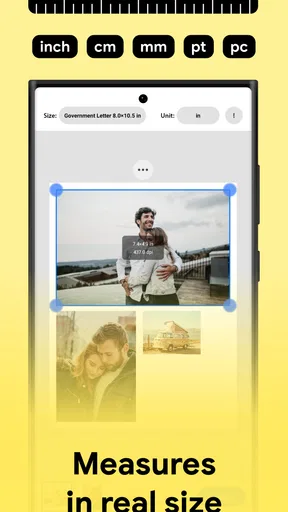
Print Photo - Print to Size is designed to help you prepare photos for printing directly from a mobile device. It allows you to select an image, adjust its dimensions, choose a paper format, and arrange one or more copies on a page. This is useful when you need a specific print size for documents, crafts, identification photos, albums, or other personal projects.
Can I print photos in an exact size with this app?
The app is intended for users who need more control than a standard gallery print option provides. You can generally enter or select the desired photo dimensions and position the image on a printable page. However, the final physical size can also depend on your printer settings, paper type, scaling options, and margins. Always disable automatic “fit to page” adjustments when exact measurements are important.
Does Print Photo - Print to Size work with any printer?
The application prepares the image and print layout, but printer compatibility may depend on your phone, operating system, printer brand, and available printing services. It may work with wireless printers or through the standard Android or iOS print options, while some printers may require their own companion application. Before downloading, check whether your device recognizes the printer and supports the intended paper format.
Can I print several photos on one sheet of paper?
One of the most practical reasons to use a size-focused photo printing app is the ability to arrange images on a single page. Depending on the available version and tools, you can create repeated copies or place multiple photos within the selected paper layout. This can reduce wasted paper and ink, especially when printing small pictures, labels, passport-style photos, or images for crafts.
Is Print Photo - Print to Size free to download and use?
The app may be available to download without an upfront charge, but some features can vary according to the platform, version, region, or business model. Certain tools may include advertisements, optional purchases, or limitations in the free edition. We recommend checking the current Google Play Store or App Store listing for pricing, subscriptions, supported devices, privacy information, and any restrictions before installing.
